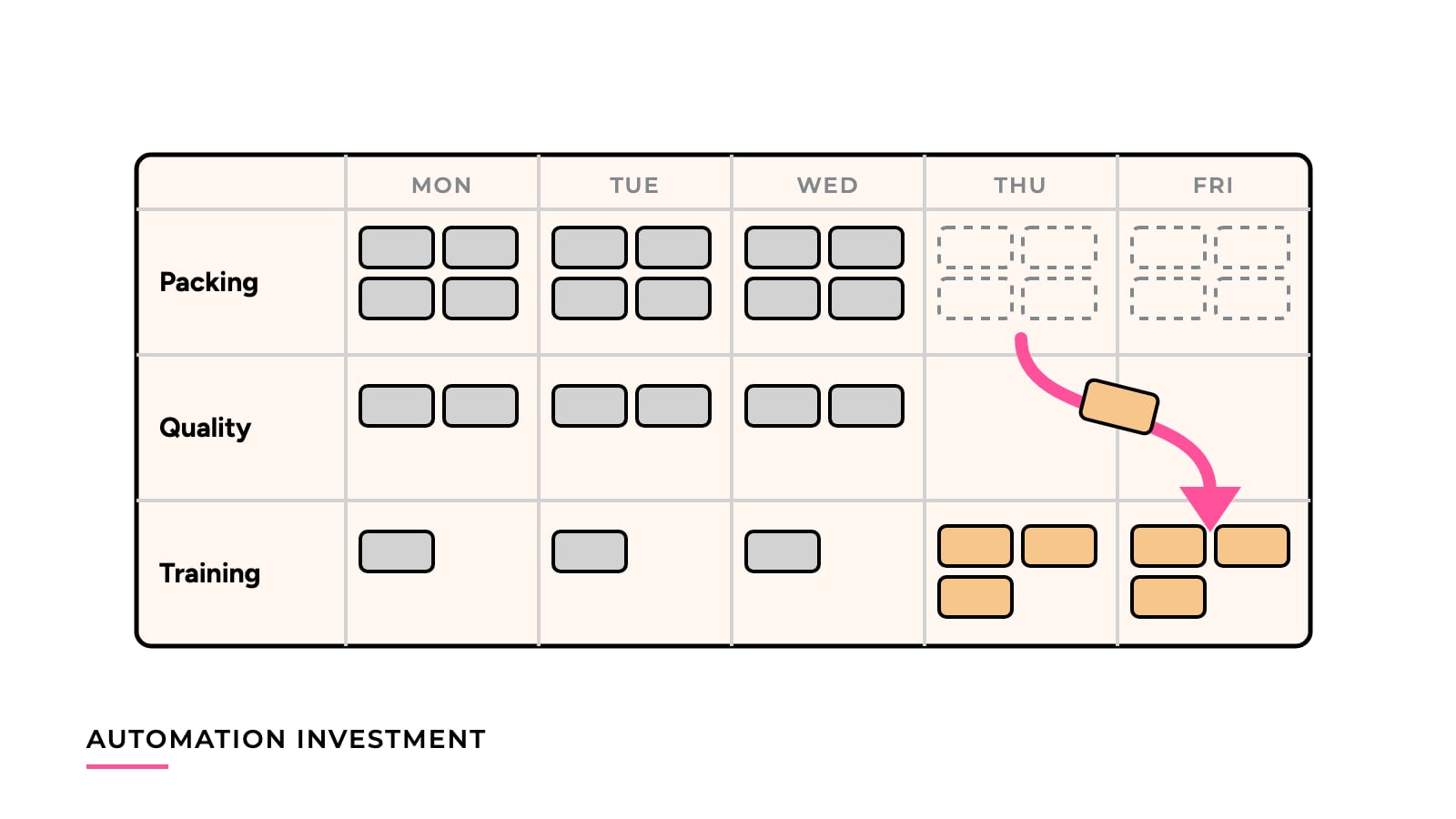
Automation Investment

How to tell whether a machine will pay for itself, starting from the full installed cost and the hours it will actually run, and how to check the answer once it is in.

8 pieces of analysis in this topic.

Reading guide

Automation investment is about deciding to spend money on a machine, then checking afterward whether the spending paid off. The six analyses here follow one running case, a $60,000 machine, from the first business case to the review after installation.

Any owner or finance lead will know the questions. Is the project worth doing? What is the real investment figure? How much of the labor saving is cash? How many hours must the machine run? Which level of automation fits the volume? And did the plant get what it planned for?

The core idea

Count cash, not freed hours. A business case that says a machine “saves 800 hours” has described capacity. It becomes a saving only when payroll or other labor spending actually falls. A payback period built on freed hours that go to other work can look sound and still never show up in the accounts.

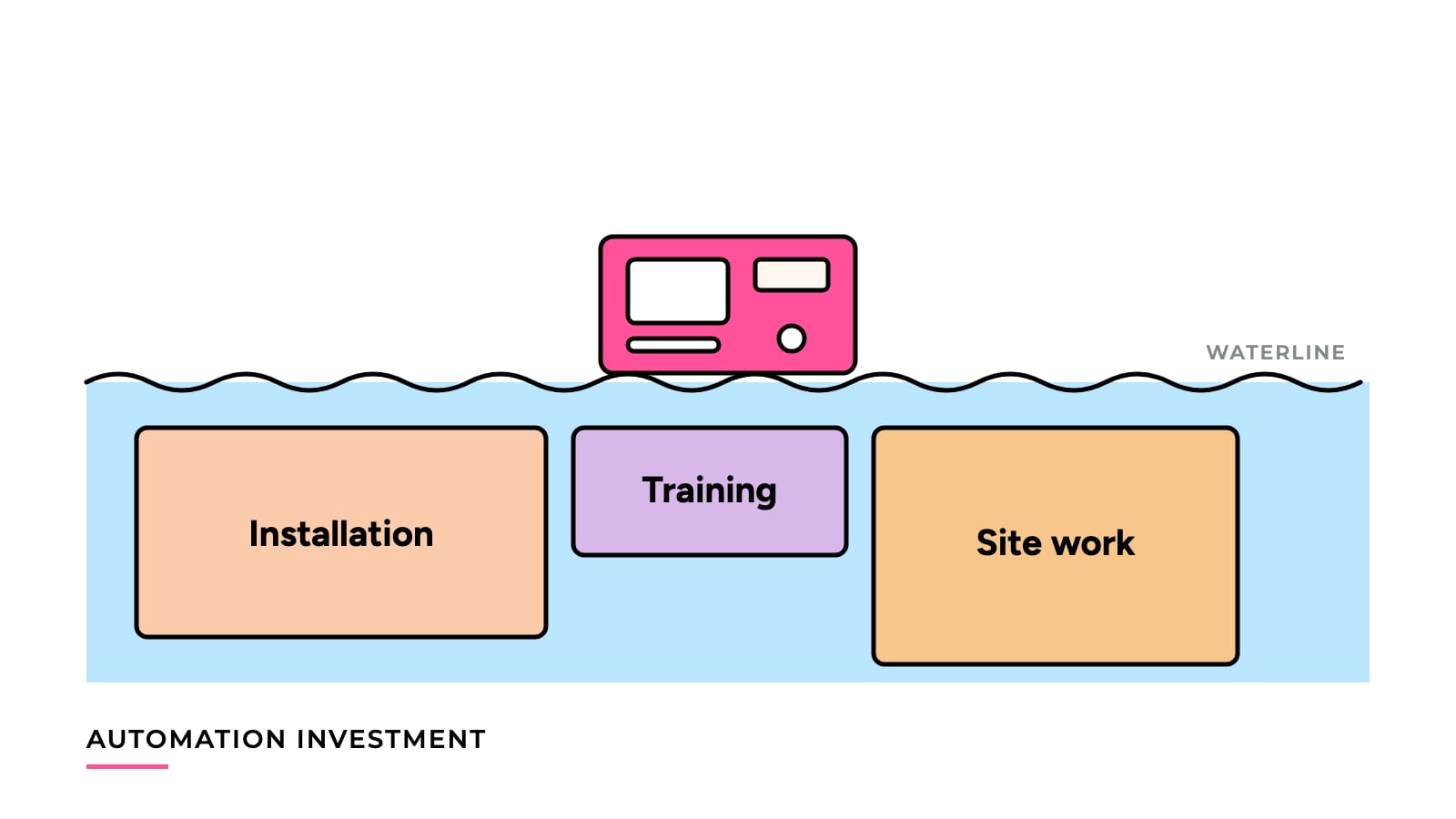
The same goes for the investment side. What matters is everything paid to reach normal, accepted production, not the machine invoice. It goes for timing too, since the answer depends on the hours the machine really runs on real orders.

Keep each input visible and separate. Hours are a physical result, savings are a financial result, and a plan stays a hypothesis until the review compares it with measured figures.

Where to start

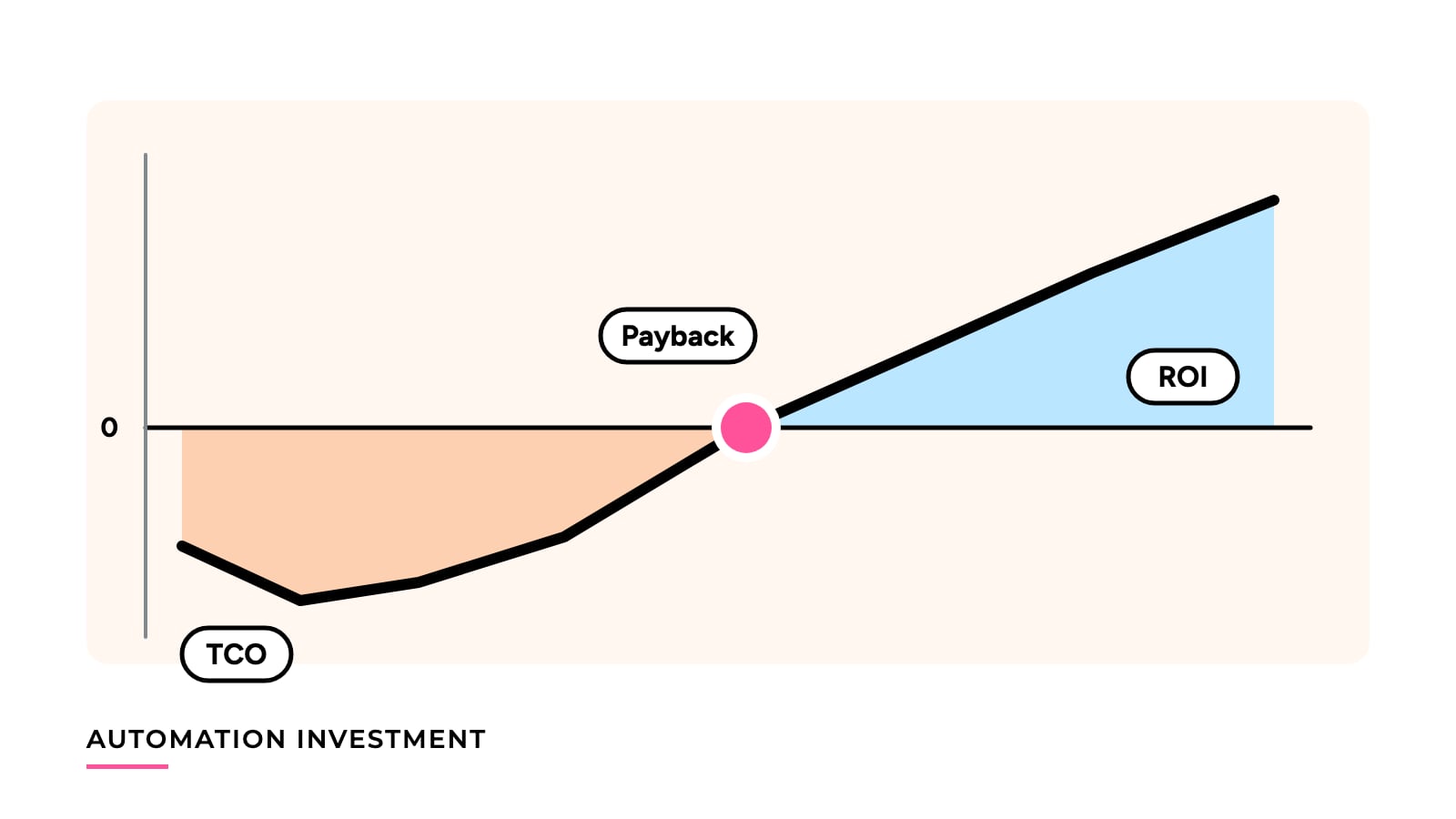
Begin with Automation Payback, ROI and TCO. It introduces the running case and shows what payback, ROI and total cost of ownership each measure. The other five articles change one input at a time, so they borrow their vocabulary and baseline from this one.

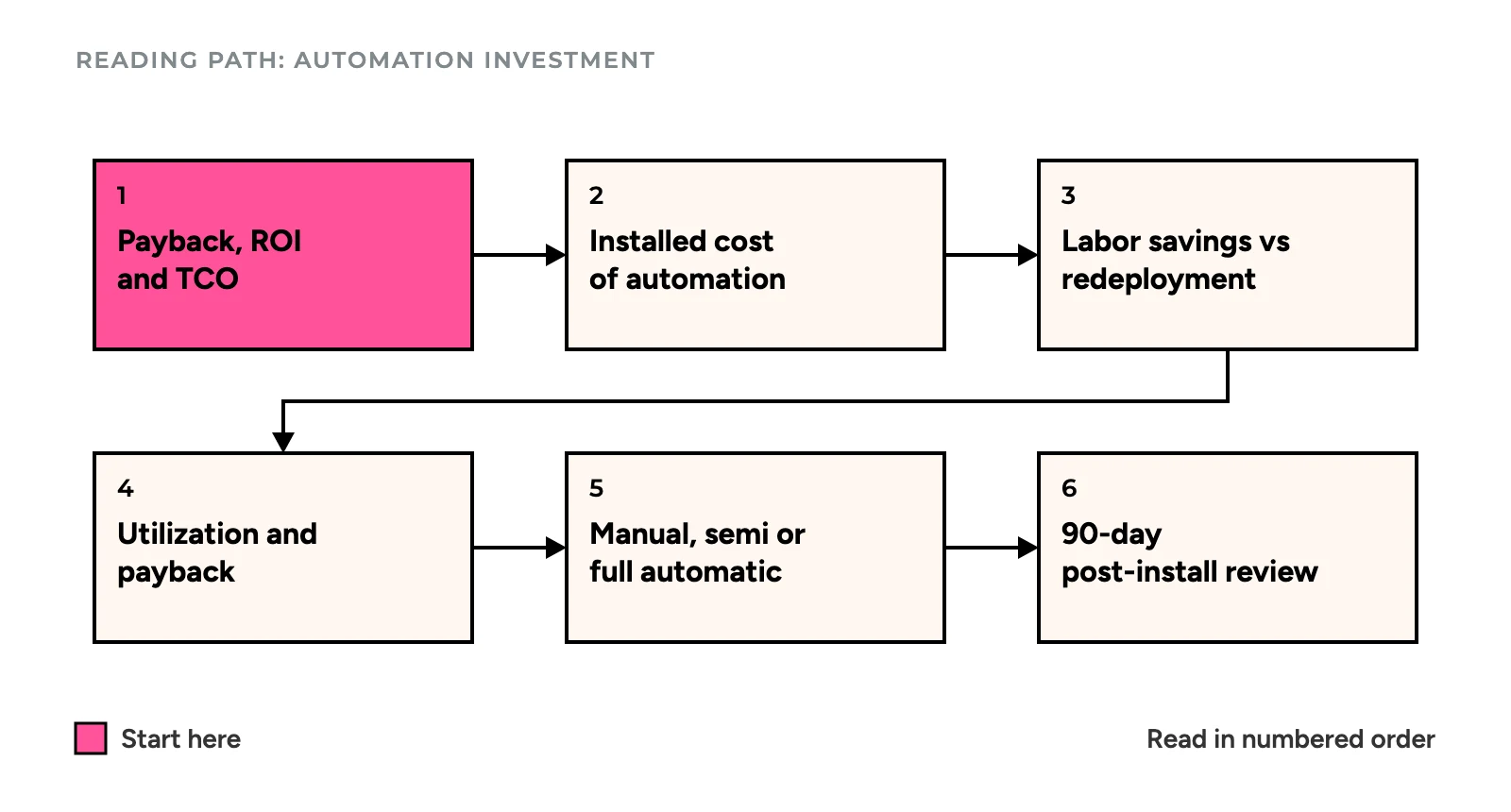
Reading path for Automation Investment: six articles in order, starting with payback, ROI and TCO, then installed cost, labor savings versus redeployment, utilization and payback, manual versus semi versus full automatic, and the 90-day post-installation review
Start with the pink box, then follow the arrows; each article changes one input of the same $60,000 case. Illustration: WonksAnonymous.

A reading path

The path follows the life of a project: define the metrics, fix the investment, test the savings, test the hours, pick the scale, and review the result.

Open with Automation Payback, ROI and TCO if you’re unsure which metric answers which question. The case has a payback of 3.33 years (about 40 months), an ROI of 50% over five years and a five-year TCO of $90,000 against $120,000 for manual work. The three numbers answer different questions, and ROI needs a stated horizon.

Then read The True Installed Cost of Packaging Automation to settle what goes into the investment figure. In its example an $80,000 machine becomes a $117,500 project, and payback moves from 40 months to about 59 months. It leaves you with a six-group cost list and a way to read a quote.

Next, Labor Savings Versus Redeployment is the one to read when the case rests on freed hours. The same 800 hours produce a 40-month payback, no payback, or a 60-month payback, depending on what happens to the people and the spending. You come away with a separate labor line and a checklist for keeping it honest.

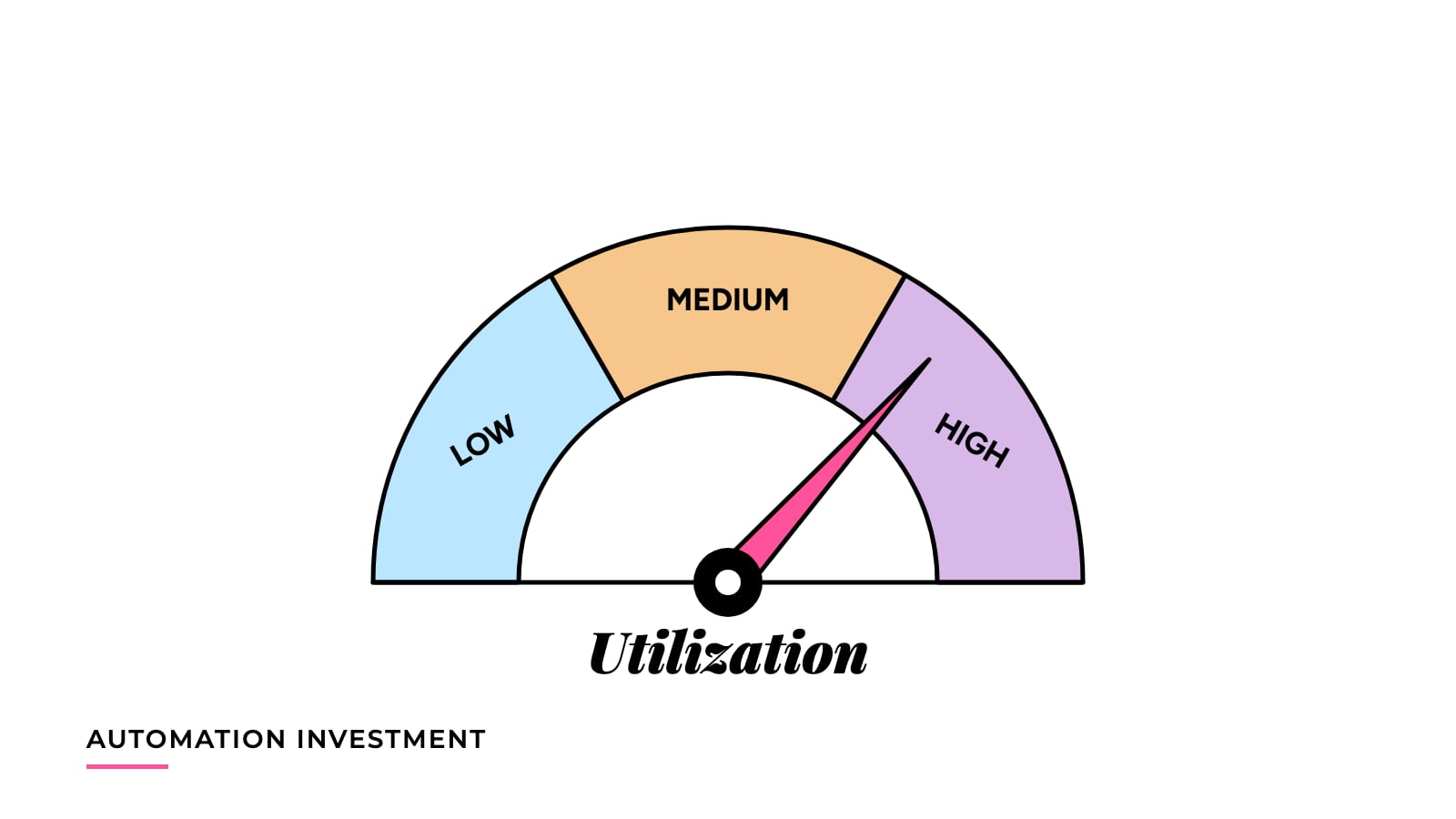
After that comes How Equipment Utilization Changes Automation Payback, which asks how many productive hours the project needs. The same $60,000 investment pays back in 80 months at 1,000 hours a year and in 16 months at 4,000. It includes a break-even utilization calculation and a sensitivity check.

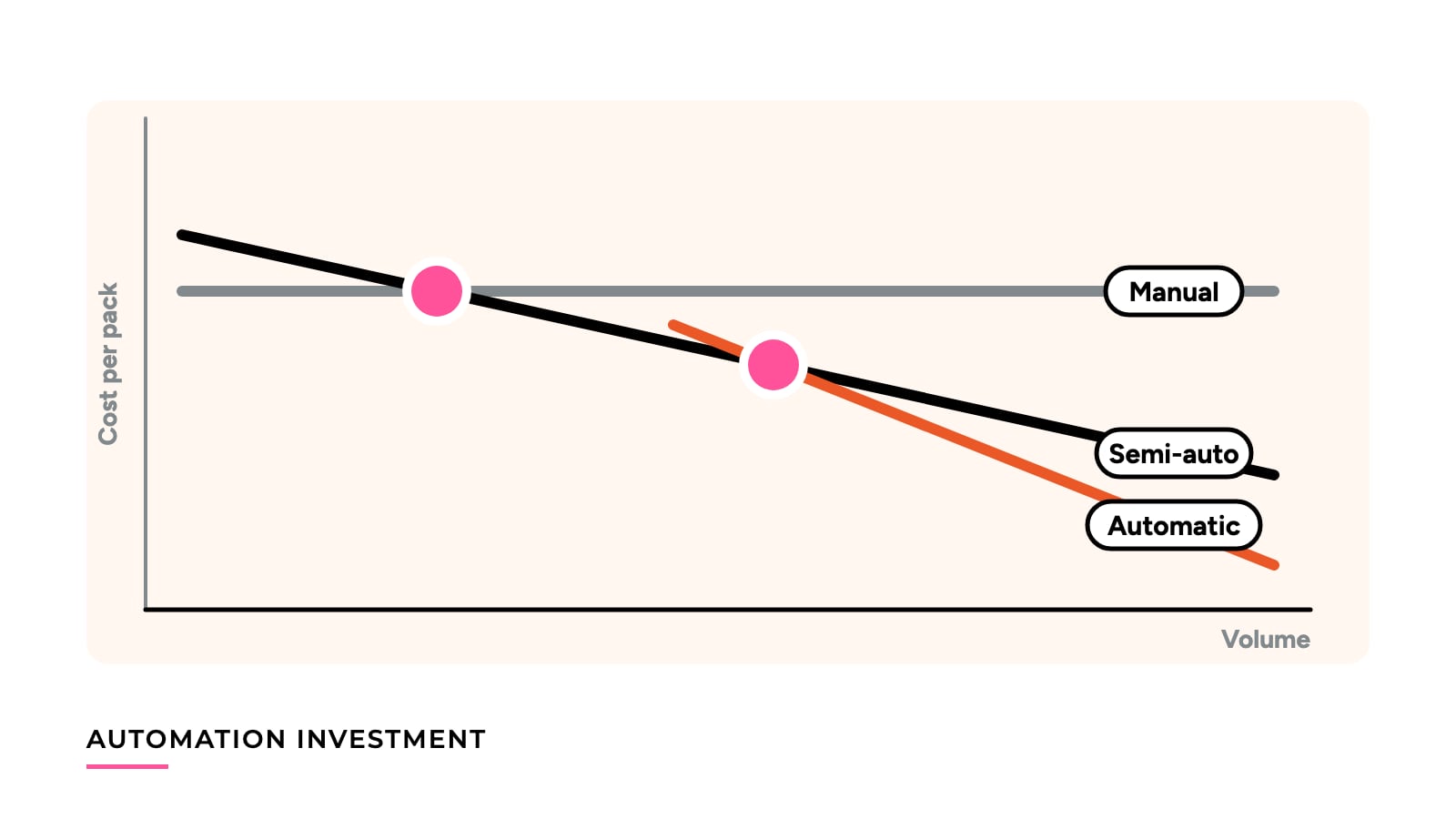
Once the case holds up, Manual, Semi-Automatic or Fully Automatic Packaging? helps you choose the level of automation. In the example, manual is cheapest up to 200,000 packs a year, semi-automatic up to 1,000,000, and fully automatic above that. It gives a crossover method and a list of factors the model doesn’t price.

Finish with The 90-Day Post-Installation Review once the machine is running, to see whether it delivers what the case assumed. In the example, actual figures stretch a 40-month payback to 80 months, and fixing the hours shortens it to 59. It includes a review table and a way to separate one-off problems from structural ones.

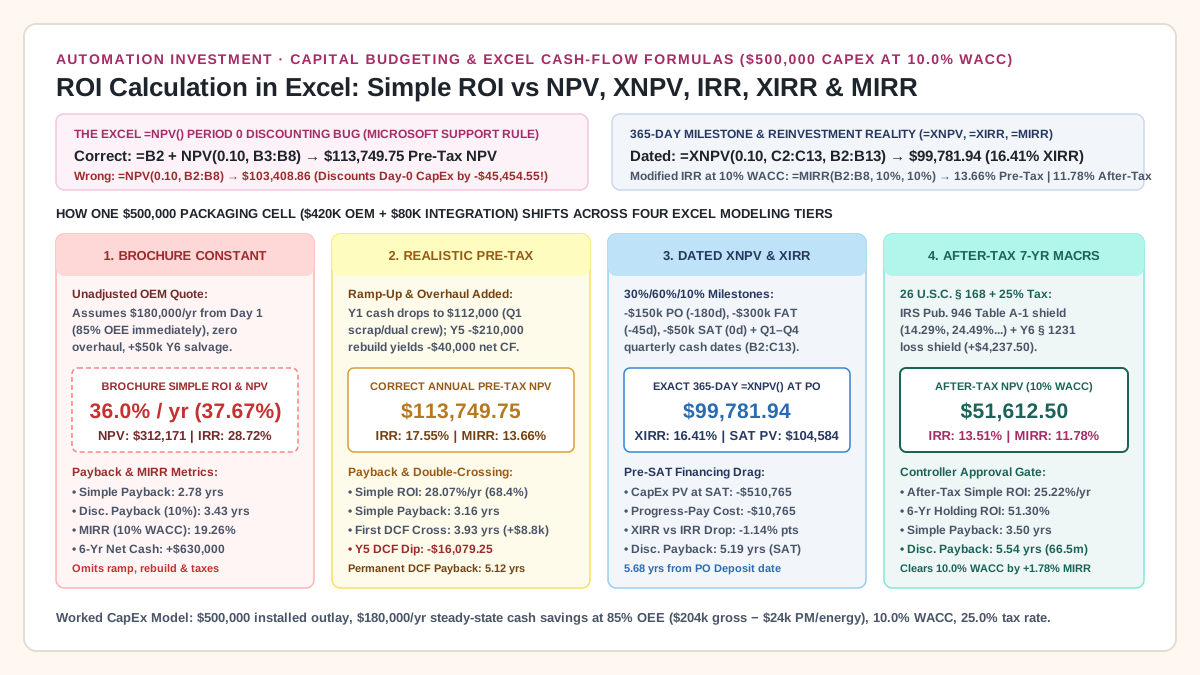
When the cash flows change by year—with progress deposits, Q1 ramp-up scrap, a mid-life rebuild, or MACRS tax depreciation—move to Build a Multi-Year Equipment Cash-Flow Model in Excel and ROI Calculation in Excel: Simple ROI, Discounted Payback, NPV, XNPV, IRR, and MIRR for Equipment CapEx.

How these connect to the other topics

The cost lines in every case here come from operating data. Cost per Good Pack shows how to build the baseline that savings are measured against, and Measuring the Cost of Unplanned Production Downtime shows how to value downtime savings without counting them at selling price.

If the machine is imported, the investment figure grows again. Imported Equipment Costs Beyond the Factory Price lists freight, duties, installation and service, and Comparing Packaging Machinery Quotes shows how to put competing offers on one scope. The Production Economics and Trade and Supply Chains guides cover the neighboring paths.

Common mistakes this topic helps avoid

  • Using the machine price as the investment when the project cost is higher.
  • Counting freed hours as savings when no spending stops.
  • Assuming full utilization without checking hours on real orders.
  • Quoting payback, ROI or TCO without naming the question each answers.
  • Buying the highest level of automation at a volume that does not carry its fixed cost.
  • Approving a case and never comparing it with measured results.

About the examples

The payback examples here run on round, labeled example numbers rather than quotes, benchmarks or customer results. The models leave out taxes, financing and the time value of money, so use them to compare options, and get proper financial and engineering advice before you commit.

All analysis in this topic